

VoiceCyber

VCLog IMP Solution
- Search and Playback Engine
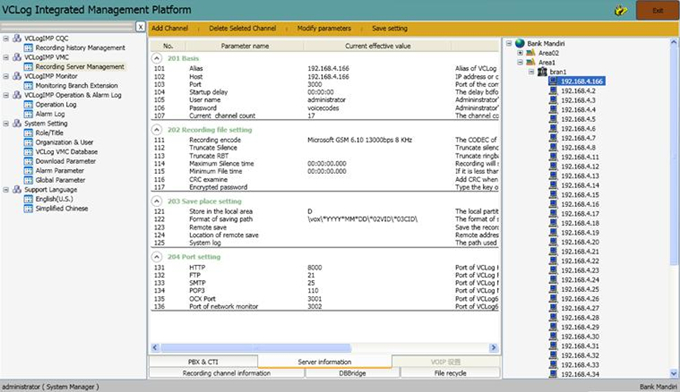
- Management Platform of recording server
- Centralize Management
- Search and Playback
- Password Policies
- User Management
- Move/add/Changes
- Live Monitoring
- Audit Trail
Recording Management
- Centralize Management of recording server
- Add, Edit, Move and Delete
- Central Alarm Monitoring
Search & Playback
-
Multiple Criteria such as CallerID, CalledId, Direction, AgentID and etc
-
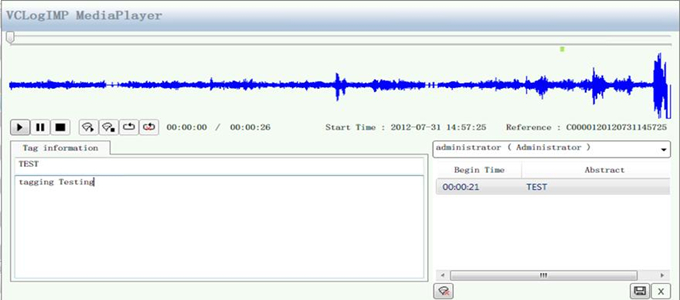
Able to playback and download files.
-
Add remark
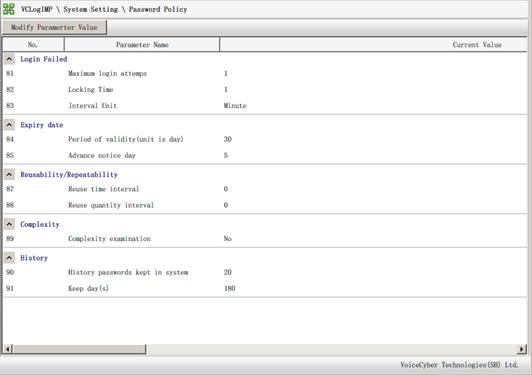
Password Management
- Max Login Attempt
- Password Expiry
- Password History
- Complexity
- Min-Max Length
- Alpha-Numeric
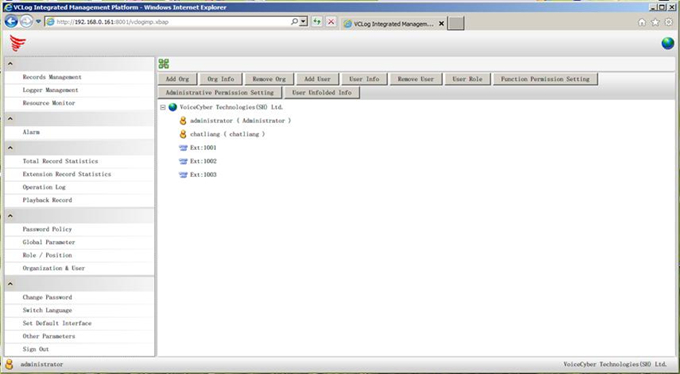
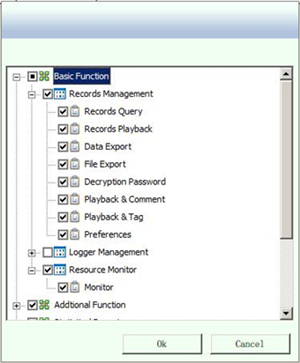
- User Management
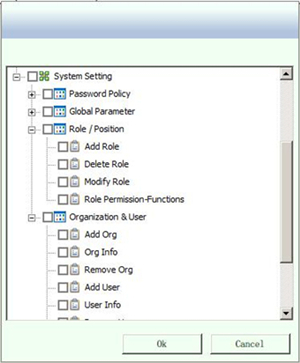
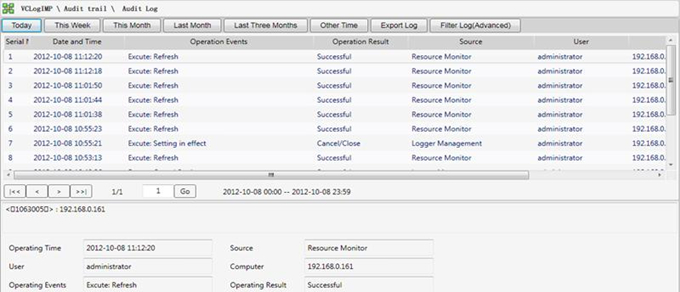
- Audit Trail
VCLog provides comprehensive audit trail to track
- Search and Replay
- Export files
- Add, move and Delete
- Live monitoring
And More….
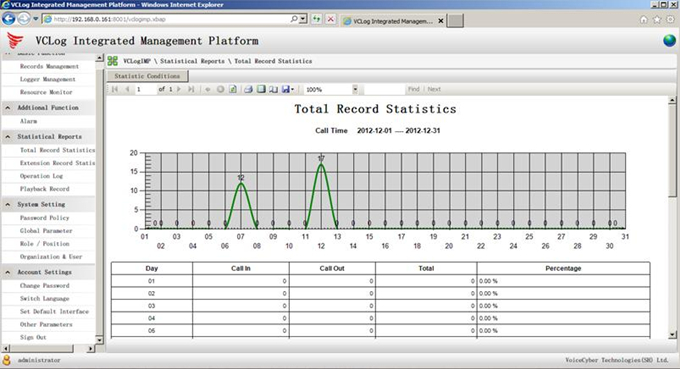
Statistic Report

Face to Face Recording
-
A new solution for recording conversation in open area
-
Andriod Pad, IP phone and Digital phone
-
- Design for solution- Mobility & Location free- Centralization- Integration & Customization
System Architecture
Mobility & Location Free
-
Support on sales campaign activities with mobile location
-
Minimum overhead for relocation
-
No limitation on provider – easier to deploy
-
Out of the box connectivity
-
Easy to move & scale your business
Centralization
-
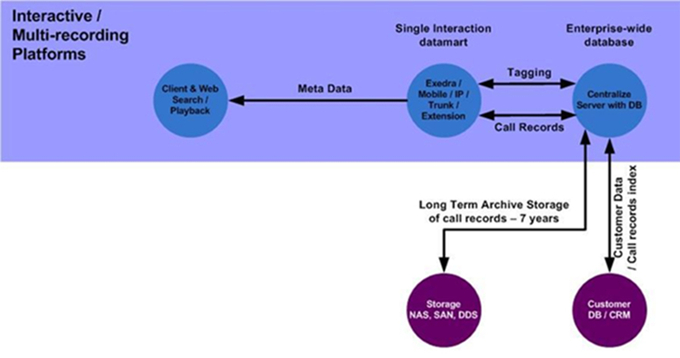
Support Centralization Model
-
A single management console
-
Client & web application for easy search & playback
-
Support open architecture for long term archive & storage- SAN- NAS- DDS
Integration & Customization
-
Support integration to other DB, CRM
-
After Call Tagging information- Number of fields- Fields information
-
Terms and Condition announcement

VCLog CM Server
Brief Introduction
-
Support VoIP Recording Solution
-
Accurately distribute VoIP data packet to the corresponding recording server
1 + 1 / N+1 Hot Standby
-
uMonitor voice recording server operation , achieve N+1 hot standby
-
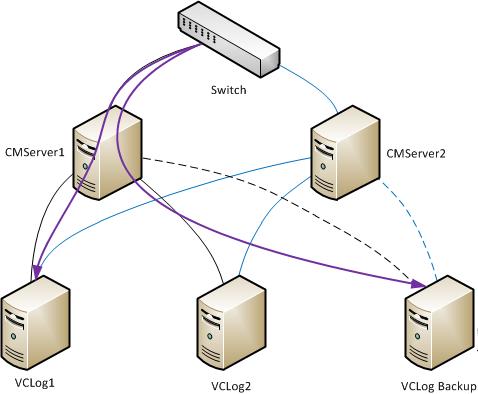
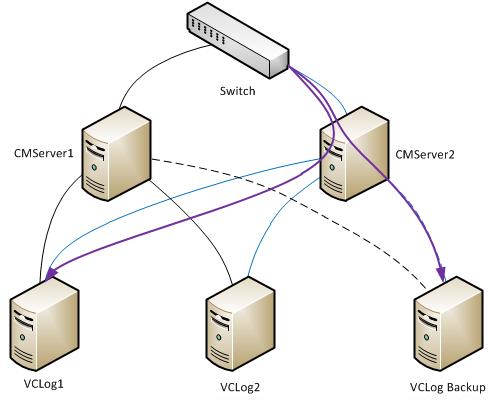
uCMServer own 1+1 hot standby─ two CMServer, one main server and one backup server. main server will always in active mode and spare server will be in standby mode. Once the main server is down, the backup server will take place. When the main server back to normal, the backup server will back to standby mod
System Structure
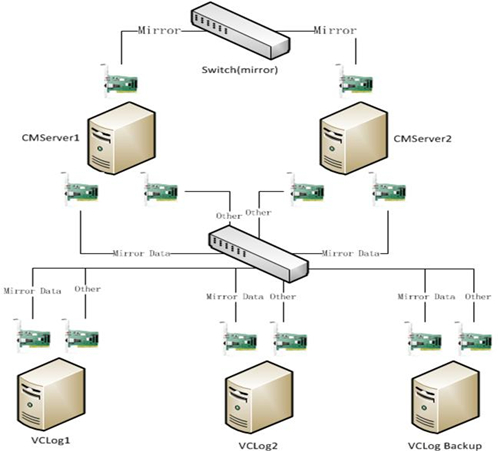
Normal Working

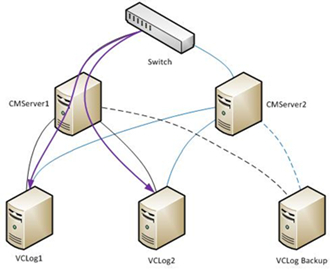
VCLog Backup Server running
CMServer backup server running
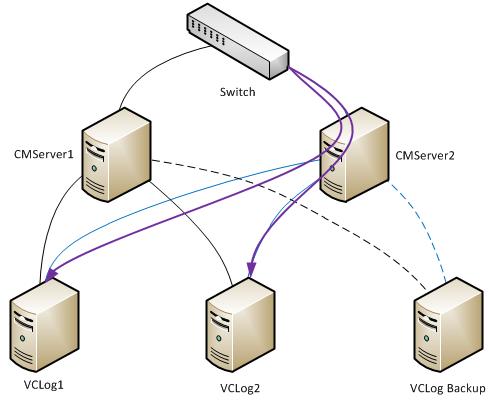
CM Server Backup Server
Schematic Diagram – Digital /IP Phone / E1 Active Recording
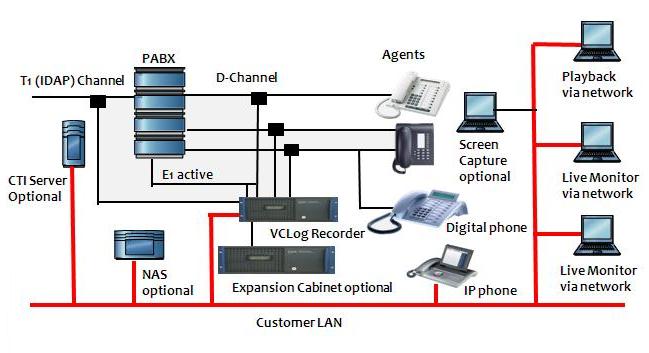
Architectures Overview
- Able to mixed record analog extensions, digital extensions, IP phone, analog trunk line E1/T1 trunk line, etc
- Maximum capacity of main server is Max.120 channels (tap digital / analog recording) or 240 IP phone
- Expansion server via network up to 60
- Dual redundancy power supply for Enterprise Version
- Dual redundancy RAID 1 harddisk storage for Enterprise Version
- Optional to support RAID 5 harddisk storage architectures
- Support 130,000 channel/hour or more
- SQL server database architectures
- Support AGC volume control
- Individual channel setting
- Selectable CODES per channel, such as GSM, Microsoft GSM, WAV, ADPCM, G.729A, G.723
- Support TCP/IP network
General Features Overview
- Support analog, E1/T1 and digital interface trapping
- Support & capture incoming callerID and outgoing calledID Automatic time stamp
- Multi-user remote client access
- Support thin playback client
- Advanced search playback by time, date, callerID, calledID, memo and channel number
- On-line backup
- Scheduled backup
- Ways to start recording: voltage, network, on/off hook, D-channel, Desktop recording on demand etc
- Remote Console – channels status such, recording, idle and error
- Alert Server – support Audio, SMS & E-mail alert (optional)
- Web Browser client (optional)
- Screen Capture (optional)
- Statistics Report (optional)
- Memo field, Score setting
- Individual scheduled day & time channel recording
- User login profile
- User Security level control
- Audit Log Reports
- 128 bits file encryption (optional)